Hermes Desktop
Revised
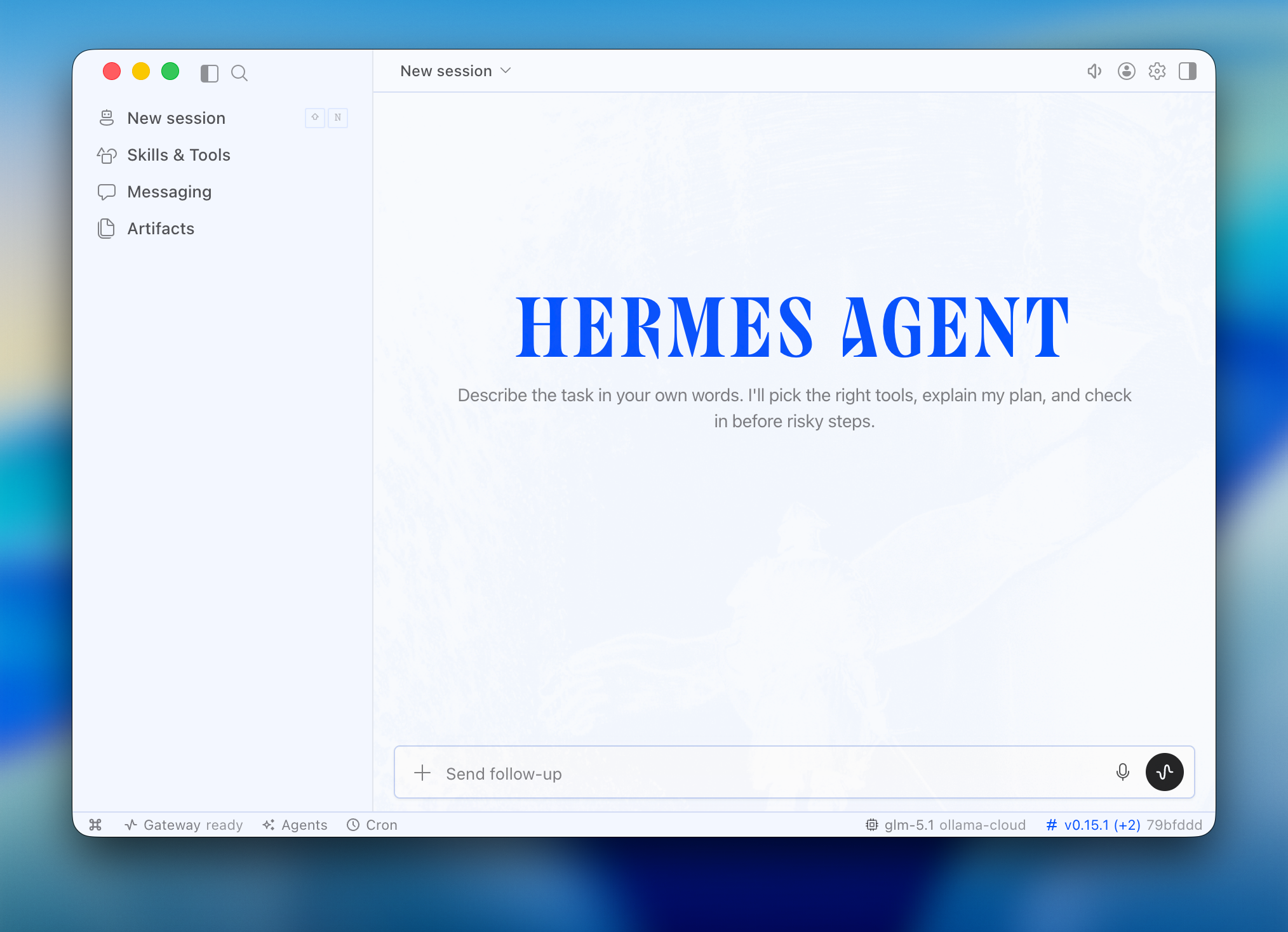
Hermes Desktop is a native AI assistant app by Nous Research. It provides a desktop chat interface for Hermes Agent, an AI agent that can work with models, run tools, manage projects, use memory and skills, and connect to messaging gateways.
Use Ollama to launch Hermes Desktop with a model you choose.1
Image on Ollama’s site: Hermes Desktop with Ollama?1
Quick start
ollama launch hermes-desktop
Ollama handles the setup flow automatically:
- 2Install: If Hermes isn't installed, Ollama prompts to install the Hermes command-line agent. On first desktop launch, Hermes builds its packaged desktop app.
- Model: Pick a model from the selector
- Configure: Ollama configures Hermes Desktop to use your selected Ollama model
- Launch: Ollama opens Hermes Desktop?2
Run directly with a model
ollama launch hermes-desktop --model <model>
Run ollama launch hermes-desktop again to switch models later.
Install Hermes Desktop directly
On macOS and Windows, the Hermes Desktop installer is the recommended upstream installation path.?3 It installs the desktop app and Hermes Agent together. If you prefer the command line, ollama launch hermes-desktop remains the explicit Ollama-managed path and uses the same Hermes configuration, sessions, skills, and memory as the CLI.
To force Hermes to rebuild its packaged desktop app:
ollama launch hermes-desktop -- --force-build
Notes on this page
1 Added Audit: improved The page described the app but never said what the page helps the reader do.
proc-state-goalAuditor: The sentence tells readers what the page helps them do and matches the existing model selection instructions.
2 Wording Audit: improved The same change applies to all four items: a spaced hyphen standing in for a dash became a colon.
Was:
1. Install - If Hermes isn't installed, Ollama prompts to install the Hermes command-line agent.punct-em-dashAuditor: The colon makes the install step easier to scan, though the log says the punctuation change applies to all four items while only the first item changed.
Questions for the owner
?1 The image link uses http rather than https; is that address correct and intended?
About: “!Hermes Desktop with Ollama”
?2 What should the reader see to confirm that Hermes Desktop is using the chosen Ollama model?
About: “Ollama opens Hermes Desktop”
?3 The Quick start leads with
ollama launch hermes-desktop, but this section calls the Hermes Desktop installer the recommended path; which should the page lead with?About: “the Hermes Desktop installer is the recommended upstream installation path.”
Original
Hermes Desktop is a native AI assistant app by Nous Research. It provides a desktop chat interface for Hermes Agent, an AI agent that can work with models, run tools, manage projects, use memory and skills, and connect to messaging gateways.
Image on Ollama’s site: Hermes Desktop with Ollama
Quick start
ollama launch hermes-desktop
Ollama handles the setup flow automatically:
- Install - If Hermes isn't installed, Ollama prompts to install the Hermes command-line agent. On first desktop launch, Hermes builds its packaged desktop app.
- Model - Pick a model from the selector
- Configure - Ollama configures Hermes Desktop to use your selected Ollama model
- Launch - Ollama opens Hermes Desktop
Run directly with a model
ollama launch hermes-desktop --model <model>
Run ollama launch hermes-desktop again to switch models later.
Install Hermes Desktop directly
On macOS and Windows, the Hermes Desktop installer is the recommended upstream installation path. It installs the desktop app and Hermes Agent together. If you prefer the command line, ollama launch hermes-desktop remains the explicit Ollama-managed path and uses the same Hermes configuration, sessions, skills, and memory as the CLI.
To force Hermes to rebuild its packaged desktop app:
ollama launch hermes-desktop -- --force-build
What Changed
The page is already close to the task shape and passes the checks. It gets a goal sentence, and the spaced hyphens in the launch list became colons. Three questions ask about the image link, a missing confirmation, and which install path the page should lead with.
Content type: task. The page's job is to get a reader to a running Hermes Desktop through ollama launch hermes-desktop, with two short variations.
Automated check, original: 0 errors, 0 warnings, 0 suggestions. Revised: 0 errors, 0 warnings, 0 suggestions.
Independent audit (GPT-6): improved. The revision adds a clear purpose sentence and makes the install step easier to scan. It preserves the instructions and link target; the logged questions flag details the page still needs its owner to resolve.
What the revision missed:
- The two sentences in the opening paragraph are long; the standard says most sentences should fit within 20 words.
Wording (1)
- 2 The same change applies to all four items: a spaced hyphen standing in for a dash became a colon. improved
Added (1)
- 1 The page described the app but never said what the page helps the reader do. improved