Hermes Agent
Revised
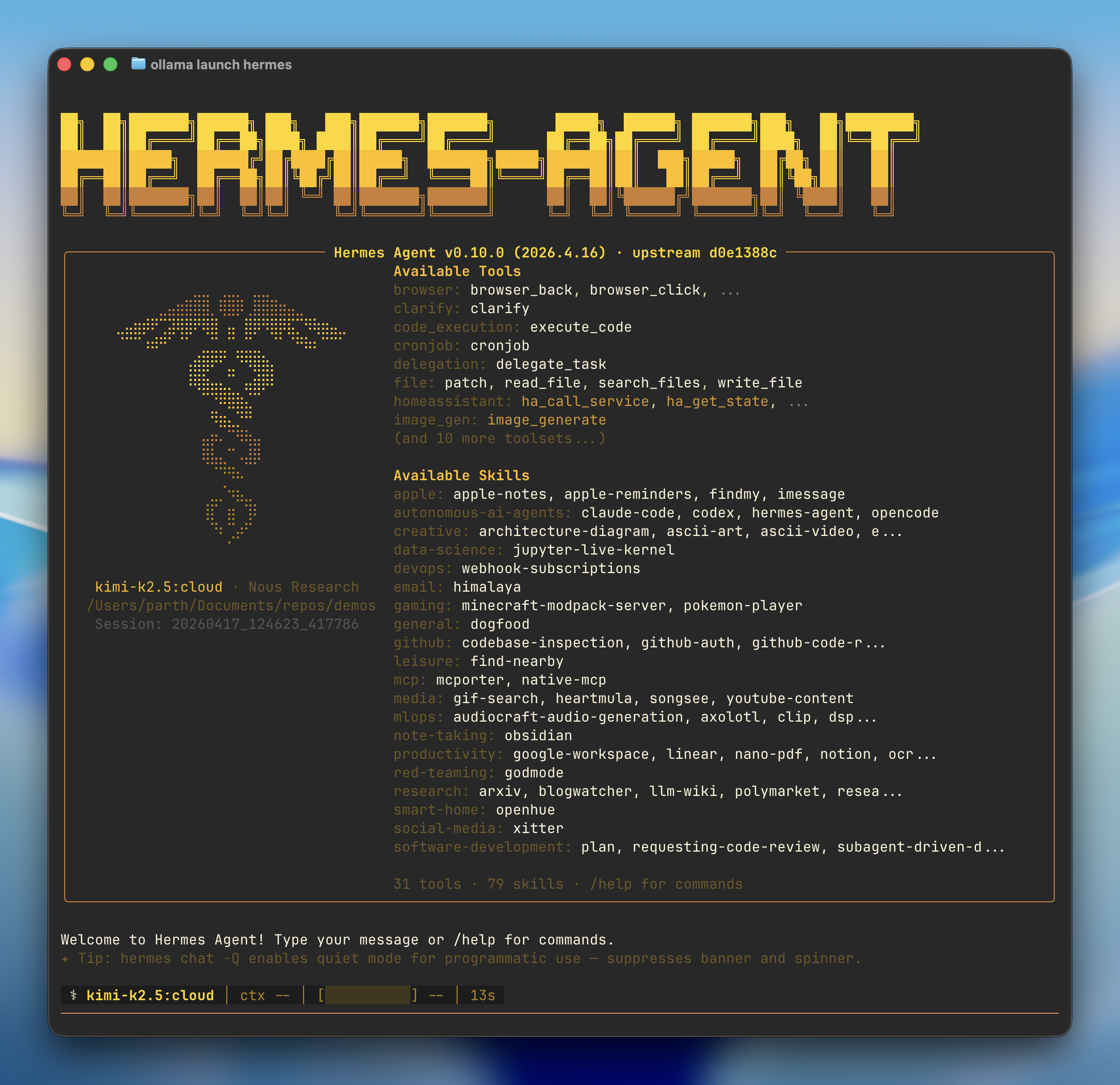
Hermes Agent is a self-improving AI agent built by Nous Research. It features automatic skill creation, cross-session memory, and 70+ skills that it ships with by default.?1
Use Ollama to set up Hermes Agent with a local or cloud model.1
Quick start
ollama launch hermes
Ollama handles everything automatically:
- 2Install: If Hermes isn't installed, Ollama prompts to install the Hermes command-line agent
- Model: Pick a model from the selector (local or cloud). See currently supported models3.
- Onboarding: Ollama configures the Ollama provider, points Hermes at
http://127.0.0.1:11434/v1, and sets your model as the primary - Gateway: Optionally connects a messaging platform (Telegram, Discord, Slack, WhatsApp, Signal, Email) and launches the Hermes chat
Connect messaging apps
Link Telegram, Discord, Slack, WhatsApp, Signal, or Email to chat with your models from anywhere:
hermes gateway setup
Reconfigure
Use Hermes's model picker to change providers or models later:
hermes model
Manual setup
If you'd rather drive Hermes's own wizard instead of ollama launch hermes, install it directly:
curl -fsSL https://hermes-agent.nousresearch.com/install.sh | bash
Hermes launches the setup wizard automatically. Choose Quick setup:
How would you like to set up Hermes?

 →  Quick setup — provider, model & messaging (recommended)
    Full setup — configure everything
Connect to Ollama
Select More providers...
Select Custom endpoint (enter URL manually)
Set the API base URL to the Ollama OpenAI-compatible endpoint:
API base URL [e.g. https://api.example.com/v1]: http://127.0.0.1:11434/v1Leave the API key blank (not required for local Ollama):X30
API key [optional]:Hermes detects your downloaded models. Confirm the one you want:4X2
Verified endpoint via http://127.0.0.1:11434/v1/models (1 model(s) visible)
  Detected model: kimi-k2.5:cloud
  Use this model? [Y/n]:
Leave context length blank to auto-detect:
Context length in tokens [leave blank for auto-detect]:
Connect messaging
Optional: Connect a messaging platform during setup:5
Connect a messaging platform? (Telegram, Discord, etc.)

 →  Set up messaging now (recommended)
    Skip — set up later with 'hermes gateway setup'
Launch
Answer Y to launch Hermes chat.6?2
Launch hermes chat now? [Y/n]: Y
Notes on this page
1 Added Audit: improved The page described Hermes Agent but never said what the page helps the reader do.
proc-state-goalAuditor: The new sentence tells readers what they can use Ollama to do.
2 Wording Audit: improved The same change applies to all four items in the launch list: each em dash became a colon.
Was:
1. Install — If Hermes isn't installed, Ollama prompts to install the Hermes command-line agentpunct-em-dashEmDashAuditor: Colons make the launch list items easier to read.
3 Wording Audit: improved The link text now says where the link goes instead of "here"; the target is unchanged.
Was:
See currently-supported models here.link-descriptive-textLinkTextAuditor: The link text tells readers what the link leads to.
4 Wording Audit: regression Two sentences were joined by a comma; they are now two sentences.
Was:
Hermes auto-detects downloaded models, confirm the one you want:punct-comma-spliceAuditor: Changing “auto-detects” to “detects” removes the claim that Hermes detects the models automatically.
5 Wording Audit: improved An optional step starts with "Optional:" before the action.
Was:
Optionally connect a messaging platform during setup:proc-condition-and-optionalAuditor: Starting with “Optional” makes the setup step’s status clear.
6 Added Audit: improved The Launch section was only a code block; this sentence says what to do with it, using the answer the block already shows.
proc-imperativeAuditor: The sentence tells readers what to do at the launch prompt.
Questions for the owner
?1 Is "70+ skills" the current count of skills that ship by default, and who maintains that number?
About: “70+ skills that it ships with by default.”
?2 How should the reader confirm that Hermes is set up and talking to the Ollama model, since neither setup path ends with a check?
About: “Answer
Yto launch Hermes chat.”X2 Integration pages use cloud models the lifecycle page lists as retired. Cloud model lifecycle lists kimi-k2.5, glm-5 and qwen3-coder:480b as retired and says dependent tools must switch, but several integration pages still use them in commands and configs. Which replacement models should these integration pages use now that these cloud models are retired?
Pages: Cloud model lifecycle, OpenClaw, Run Copilot CLI with Ollama, Hermes Agent, Run Droid with Ollama, Use Roo Code with Ollama
X30 Placeholder API key for local servers varies. Pages tell readers to use
ollama,not-needed, or an empty value as the placeholder key for the same local server. Should one placeholder value be used across pages where the tool allows it?Pages: Anthropic compatibility, Run Droid with Ollama, Run Copilot CLI with Ollama, Hermes Agent
Original
Hermes Agent is a self-improving AI agent built by Nous Research. It features automatic skill creation, cross-session memory, and 70+ skills that it ships with by default.
Quick start
ollama launch hermes
Ollama handles everything automatically:
- Install — If Hermes isn't installed, Ollama prompts to install the Hermes command-line agent
- Model — Pick a model from the selector (local or cloud). See currently-supported models here.
- Onboarding — Ollama configures the Ollama provider, points Hermes at
http://127.0.0.1:11434/v1, and sets your model as the primary - Gateway — Optionally connects a messaging platform (Telegram, Discord, Slack, WhatsApp, Signal, Email) and launches the Hermes chat
Connect messaging apps
Link Telegram, Discord, Slack, WhatsApp, Signal, or Email to chat with your models from anywhere:
hermes gateway setup
Reconfigure
Use Hermes's model picker to change providers or models later:
hermes model
Manual setup
If you'd rather drive Hermes's own wizard instead of ollama launch hermes, install it directly:
curl -fsSL https://hermes-agent.nousresearch.com/install.sh | bash
Hermes launches the setup wizard automatically. Choose Quick setup:
How would you like to set up Hermes?

 →  Quick setup — provider, model & messaging (recommended)
    Full setup — configure everything
Connect to Ollama
Select More providers...
Select Custom endpoint (enter URL manually)
Set the API base URL to the Ollama OpenAI-compatible endpoint:
API base URL [e.g. https://api.example.com/v1]: http://127.0.0.1:11434/v1Leave the API key blank (not required for local Ollama):
API key [optional]:Hermes auto-detects downloaded models, confirm the one you want:
Verified endpoint via http://127.0.0.1:11434/v1/models (1 model(s) visible)
  Detected model: kimi-k2.5:cloud
  Use this model? [Y/n]:
Leave context length blank to auto-detect:
Context length in tokens [leave blank for auto-detect]:
Connect messaging
Optionally connect a messaging platform during setup:
Connect a messaging platform? (Telegram, Discord, etc.)

 →  Set up messaging now (recommended)
    Skip — set up later with 'hermes gateway setup'
Launch
Launch hermes chat now? [Y/n]: Y
What Changed
The page gets a goal sentence, its launch list loses the em dashes, and one comma splice in the manual setup is fixed. A vague link and one optional step follow the standard. Every code block is unchanged; questions cover the retired model name in a sample, the placeholder key, the "70+ skills" figure, and a missing confirmation.
Content type: task. The page's job is to get a reader to a working Hermes Agent on Ollama, first with ollama launch hermes and then by manual setup.
Automated check, original: 1 errors, 4 warnings, 0 suggestions. Revised: 0 errors, 0 warnings, 0 suggestions.
Independent audit (GPT-6): mixed. The revision makes the launch steps and manual setup easier to scan. One edit weakens the model-detection claim, and the page still has an unsourced statistic and vague section headings.
Regressions:
- The revised model-detection sentence no longer says Hermes detects models automatically.
What the revision missed:
- The “70+ skills” statistic has no source, despite the standard requiring a source beside every statistic; the owner question flags uncertainty but does not add one.
- The headings “Quick start,” “Reconfigure,” and “Manual setup” do not clearly say what the reader will do in those sections.
Wording (4)
- 2 The same change applies to all four items in the launch list: each em dash became a colon. improved
- 3 The link text now says where the link goes instead of "here"; the target is unchanged. improved
- 4 Two sentences were joined by a comma; they are now two sentences. regression
- 5 An optional step starts with "Optional:" before the action. improved