Connect Onyx to Ollama1
Revised
This page shows how to connect an Onyx deployment to Ollama.2?1
Overview
Onyx is a self-hostable Chat UI that integrates with all Ollama models. Features include:
- Creating custom Agents
- Web search
- Deep Research
- RAG over uploaded documents and connected apps
- Connectors to applications like Google Drive, Email, Slack, and so on3
- MCP and OpenAPI Actions support
- Image generation
- User/Groups management, RBAC, SSO, and so on4
Onyx can be deployed for single users or large organizations.
Before you begin5
Deploy Onyx with the quickstart guide.
Note: Resourcing/scaling docs are in the Onyx resourcing guide.6
Connect Onyx to Ollama7
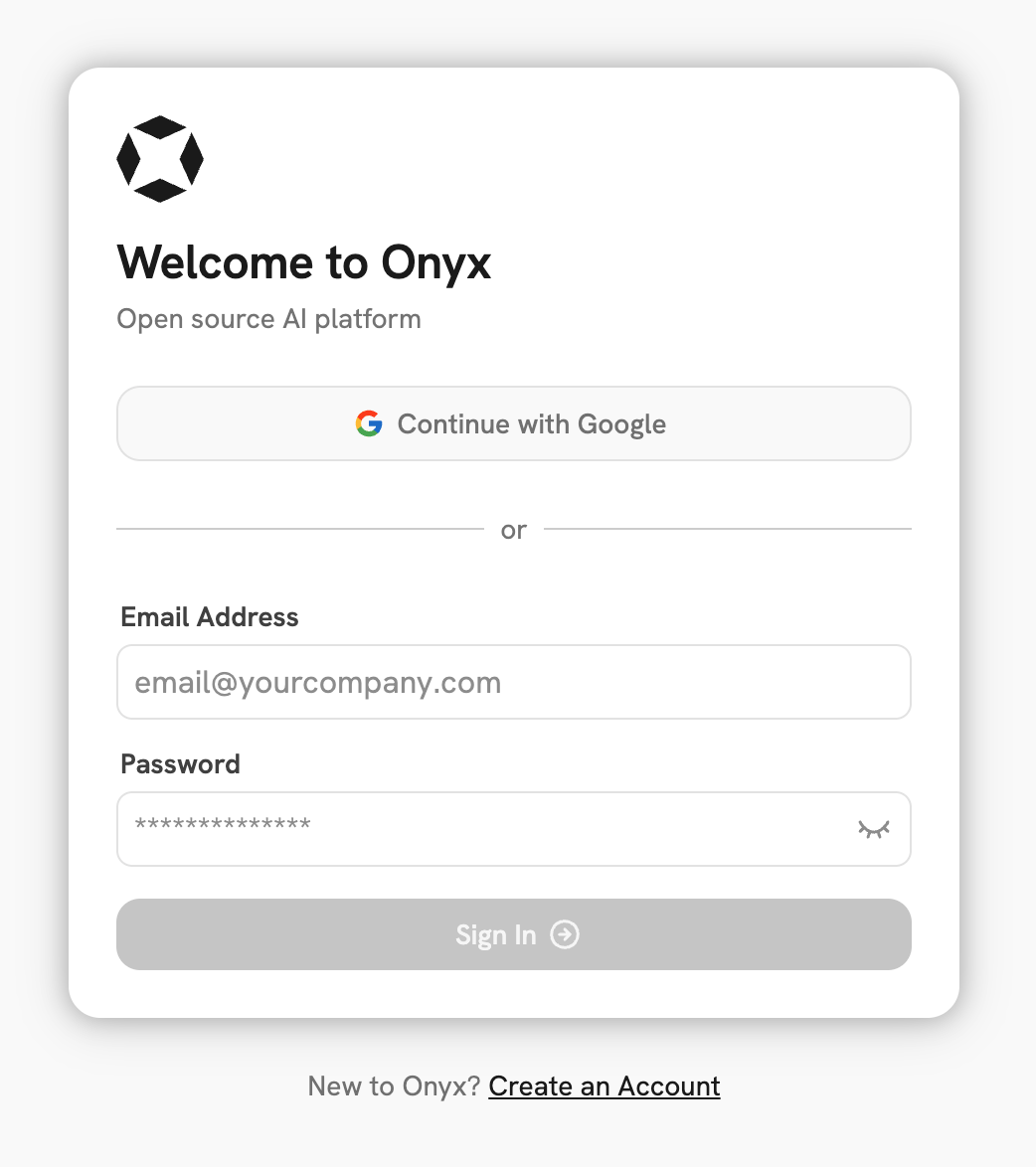
Sign in to your Onyx deployment (create an account first).8
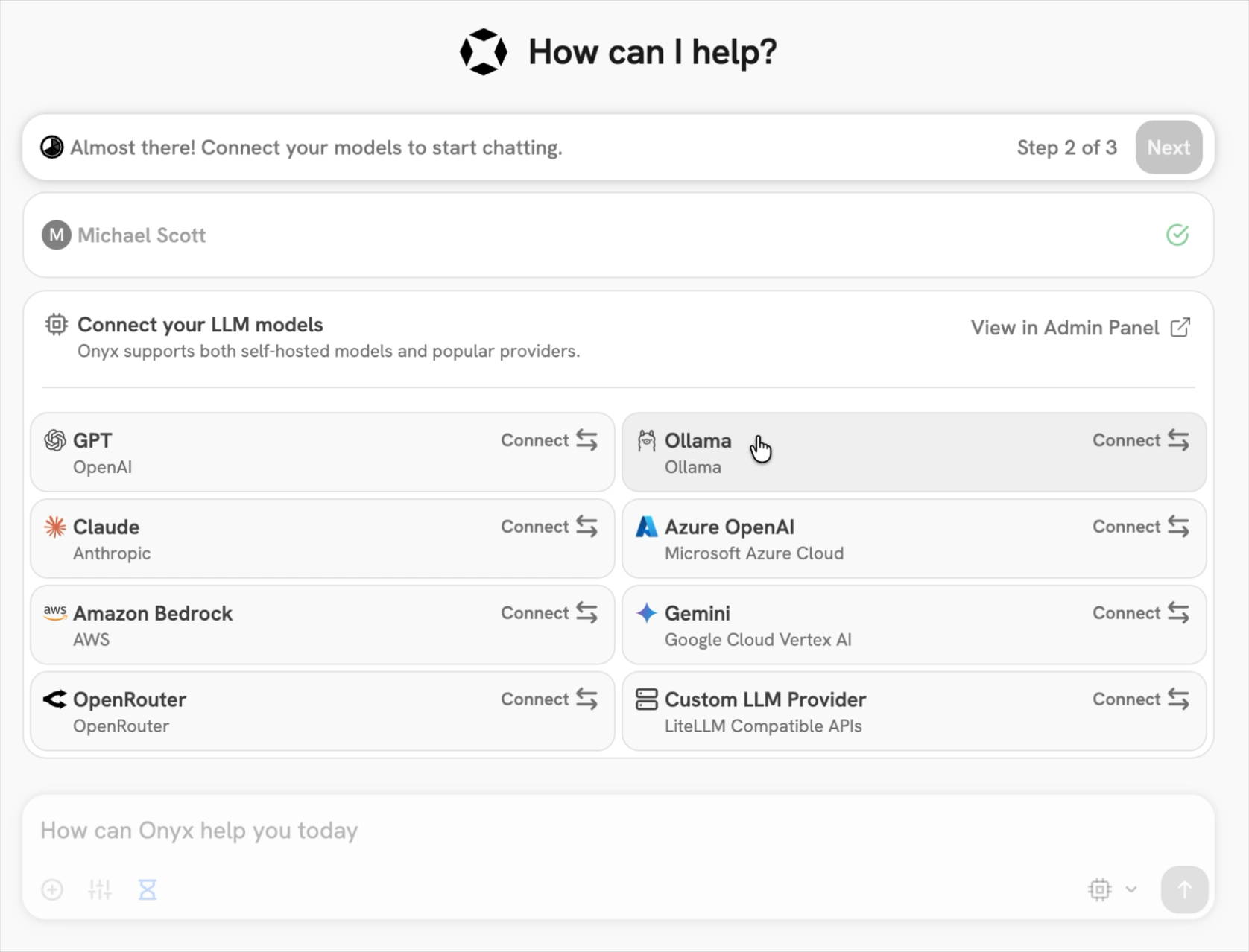
In the set-up process select Ollama as the LLM provider.9
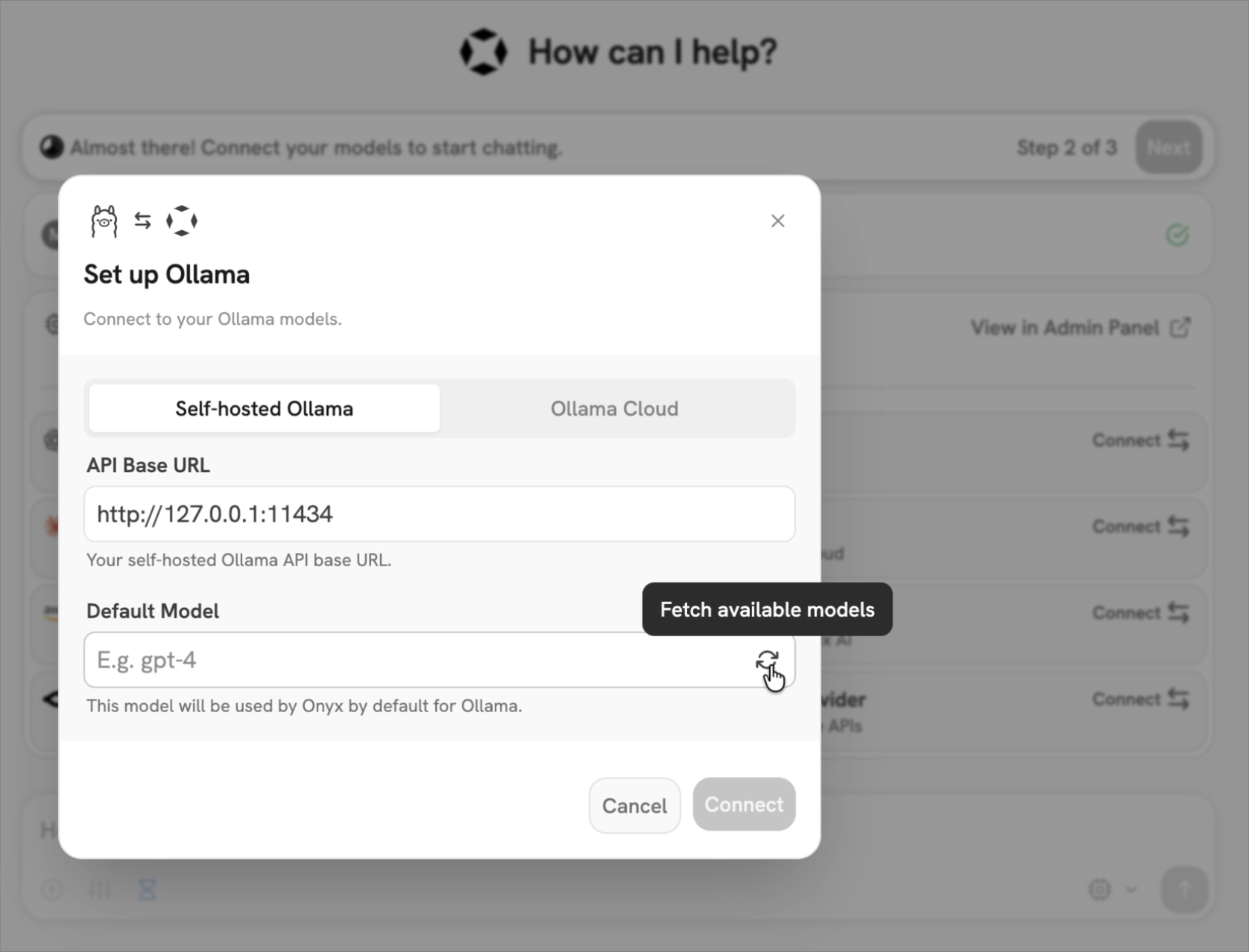
Enter your Ollama API URL.10
Note: If you're running Onyx in Docker, to access your computer's local network use
http://host.docker.internalinstead ofhttp://127.0.0.1.X32Select your models.11
You can also connect Onyx Cloud to Ollama's cloud from the setup flow.
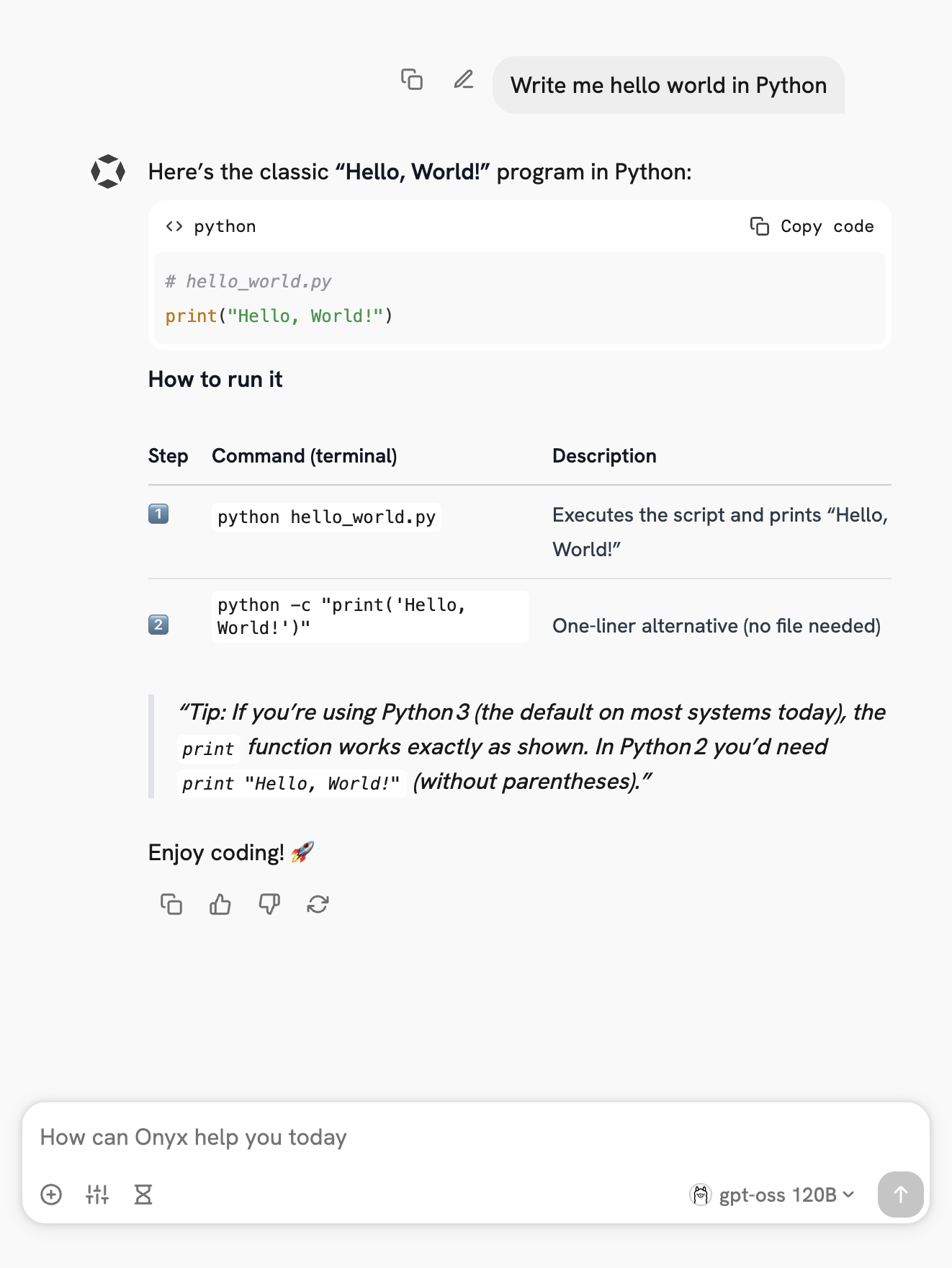
Send your first query
Notes on this page
1 Wording Audit: improved A task title starts with a verb and names the result.
Was:
Onyxproc-state-goalAuditor: The title names the task and starts with an action.
2 Added Audit: improved Added a goal sentence before the steps, using only what the page already covers.
proc-state-goalAuditor: The opening sentence tells readers what the page helps them do.
3 Wording Audit: improved Plain words instead of a Latin abbreviation.
Was:
etc.LatinAuditor: Replacing “etc.” with “and so on” uses plainer wording.
4 Wording Audit: improved Plain words instead of a Latin abbreviation.
Was:
etc.LatinAuditor: Replacing “etc.” with “and so on” uses plainer wording.
5 Wording Audit: improved Prerequisites go under a heading that says so, before the steps.
Was:
Install Onyxproc-prerequisites-firstAuditor: “Before you begin” better signals that the quickstart guide comes before the connection steps.
6 Wording Audit: improved Link text says where the link goes. The link target is unchanged.
Was:
Resourcing/scaling docs here.LinkTextAuditor: The link text says where the link goes while keeping the same target.
7 Wording Audit: improved The heading now names the job.
Was:
Usage with Ollamatype-task-one-goalAuditor: The heading names the task readers will do.
8 Wording Audit: improved 'Login' is the noun, and the step needs the verb.
Was:
Login to your Onyx deployment (create an account first).SignInAuditor: “Sign in” uses the verb form and keeps the account prerequisite.
9 Structure Audit: regression The images were outside the numbered list, which broke the numbering. They are now plain Markdown inside the steps, with the same files and alt text. The Ollama option is bold instead of code font.
Was:
<div style={{ display: 'flex', justifyContent: 'center' }}><img ... /></div>ui-bold-labelsimg-alt-requiredAuditor: The Markdown images preserve the files and alt text but drop the original 75% width, changing their displayed size.
10 Wording Audit: improved The step held two actions, so it is now two steps (3 and 4). The Docker note stays under step 3.
Was:
Provide your Ollama API URL and select your models.proc-one-action-per-stepAuditor: Separating URL entry from model selection gives each numbered step one action.
11 Wording Audit: improved Second action of the original step 3, now its own step.
Was:
select your modelsproc-one-action-per-stepAuditor: Model selection now has its own numbered step.
Questions for the owner
?1 The page is both a product overview and a set of steps; should the overview move to its own page, leaving this one as the steps?
About: “Onyx is a self-hostable Chat UI that integrates with all Ollama models.”
?2 The last section has a heading and an image but no text; what should the reader do and see when they send the first query?
About: “Send your first query”
X32 Docker host URL with and without port. n8n gives the Docker host URL with port 11434, while Onyx gives it without a port. Should the Onyx note include the :11434 port?
Original
Overview
Onyx is a self-hostable Chat UI that integrates with all Ollama models. Features include:
- Creating custom Agents
- Web search
- Deep Research
- RAG over uploaded documents and connected apps
- Connectors to applications like Google Drive, Email, Slack, etc.
- MCP and OpenAPI Actions support
- Image generation
- User/Groups management, RBAC, SSO, etc.
Onyx can be deployed for single users or large organizations.
Install Onyx
Deploy Onyx with the quickstart guide.
Note: Resourcing/scaling docs here.
Usage with Ollama
- Login to your Onyx deployment (create an account first).
2. In the set-up process select `Ollama` as the LLM provider. 3. Provide your **Ollama API URL** and select your models. > **Note:** If you're running Onyx in Docker, to access your computer's local network use `http://host.docker.internal` instead of `http://127.0.0.1`.
You can also connect Onyx Cloud to Ollama's cloud from the setup flow.
Send your first query
What Changed
The page now opens with a goal sentence, and the install section became 'Before you begin'. The three-part step 3 is now two steps, the images sit inside their steps, and 'etc.', 'Login' and a 'here' link are fixed. The overview is kept as written, and two questions ask about the page's mixed purpose and its empty last section.
Content type: task. The main job is the steps to connect Onyx to Ollama, though the page also carries a product overview.
Automated check, original: 1 errors, 10 warnings, 0 suggestions. Revised: 0 errors, 5 warnings, 0 suggestions.
Independent audit (GPT-6): mixed. The revision makes the connection steps easier to scan and follow. It also removes the images’ explicit 75% width, and the page still leaves the reader without instructions for sending a first query.
Regressions:
- The four images lost their original 75% width when the HTML image blocks became Markdown images.
What the revision missed:
- The “Overview” heading remains generic, though the standard says headings should tell readers what is under them.
- The final section still has only a heading and an image, so it does not tell readers how to send their first query or what to do next.
Structure (1)
- 9 The images were outside the numbered list, which broke the numbering. They are now plain Markdown inside the steps, with the same files and alt text. The Ollama option is bold instead of code font. regression
Wording (9)
- 1 A task title starts with a verb and names the result. improved
- 3 Plain words instead of a Latin abbreviation. improved
- 4 Plain words instead of a Latin abbreviation. improved
- 5 Prerequisites go under a heading that says so, before the steps. improved
- 6 Link text says where the link goes. The link target is unchanged. improved
- 7 The heading now names the job. improved
- 8 'Login' is the noun, and the step needs the verb. improved
- 10 The step held two actions, so it is now two steps (3 and 4). The Docker note stays under step 3. improved
- 11 Second action of the original step 3, now its own step. improved
Added (1)
- 2 Added a goal sentence before the steps, using only what the page already covers. improved